And to 18
Posted on July 14, 2026 in umbraco
Having just upgraded this site to Umbraco 17, it seemed right to finish the work and go to 18.
The actual update is straighforward. NuGet-update packages,
deal with a few obsoleted methods that need to be removed,
refactor an UmbracoApiController. Less than 30 minutes of work.
Reboot... and we are now on 18!
Time to monitor the application and check that everything works.
Since I am currently working with Datadog, I have access to their dogfooding program. And thus, the Docker platform that hosts this site is fully instrumented. So... this is what we are going to use.
DISCLAIMER: I work with them, I like it there, I may be biased, etc. And also the dogfooding program comes free, which helps.
Datadog Agent
The dashboard complains that I run an old version of the agent and should upgrade.
Since the agent itself runs on Docker, that is a quick docker-compose operation
(dc is my alias for docker compose):
dc pull
dc down dd-agent
dc up dd-agent -d
Disks
Next, the monitors I have defined warn me that my disk space is getting low.
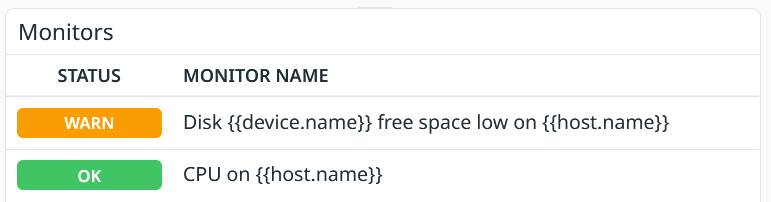
Weird enough, it seems that my small /dev/sda1 root partition is filling up,
while my huge /dev/sda2 partition, specifically dedicated to Docker
(mounted as /var/lib/docker), is idle.
A quick search reveals this has been reported before
and is a matter of containerd writing to the wrong FS.
Edit /etc/containerd/config.toml to specify root = "/var/lib/docker/containerd",
stop Docker, reboot machine, restart all containers, cleanup, fixed.
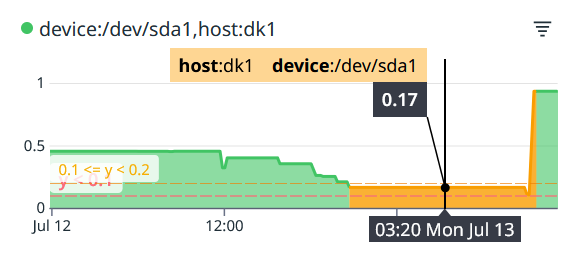
Monitors are back to green:
Memory
Now, this is what I was impatient to see. For reasons, I have a large (10K) number of not-so-small documents in this system, that of course I should delete, but for the sake of the argument, let us say I have to keep them.
Previously, the container would eat up about 2GB on startup. Expensive. But these documents are practically never ever touched. Woot, the container is now using around 256MB and remains stable. The new Umbraco hybrid cache is doing wonders here! Massive win!
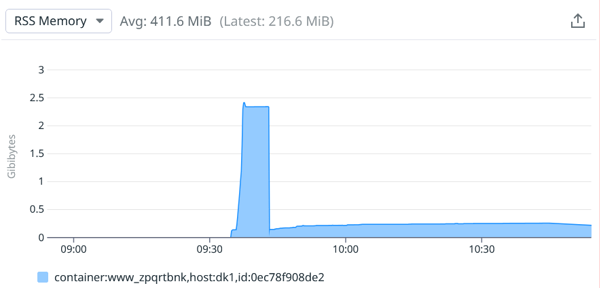
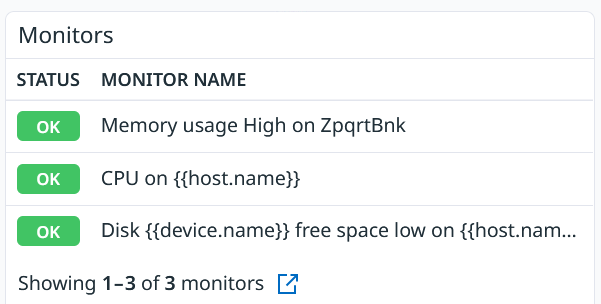
At times though... the memory does jump up to 2GB. It just happens, and I do not know why. I need to monitor the situation, so I am going to define a new monitor on the container's memory usage. There. Now I will receive an email in case we cross the 1GB threshold.
HTTPS
And then... I cannot access the backoffice anymore. Back to this:
error:invalid_request
error_description:This server only accepts HTTPS requests.
error_uri:https://documentation.openiddict.com/errors/ID2083
But the front website works. Now if I try to enable headers forwarding in NGINX, this is replaced by a plain 400 error, both on back-office and front websites.
You will find many pages about this issue, but that one was really helpful. I finally got it to work with only these two forwarded headers in NGINX:
proxy_set_header X-Forwarded-For $proxy_add_x_forwarded_for;
proxy_set_header X-Forwarded-Proto $scheme;
And this in Program.cs:
builder.Services.Configure(options =>
{
    options.ForwardedHeaders =
        ForwardedHeaders.XForwardedFor |
        ForwardedHeaders.XForwardedProto |
        ForwardedHeaders.XForwardedHost;

    // docker network is 172.0.0.0/8
    options.KnownIPNetworks.Add(new System.Net.IPNetwork(System.Net.IPAddress.Parse("172.0.0.0"), 8));
});
And of course .UseForwardedHeaders() on the application.
Now it works, and I understand why, which is always better.
Memory (again)
Sure enough, I did get the email about the memory growing too big. Look at this:
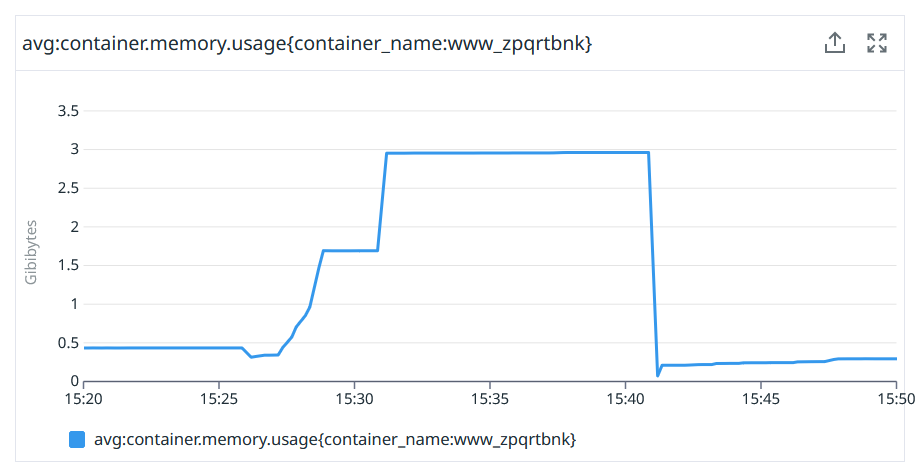
Memory was stable and then it bumped to 2+GB. It went back down when I asked Docker Compose to restart the container. Now what happened that would cause the memory to go up like this? This: I deployed a new version of the container.
FWIW here is what the monitor reports:
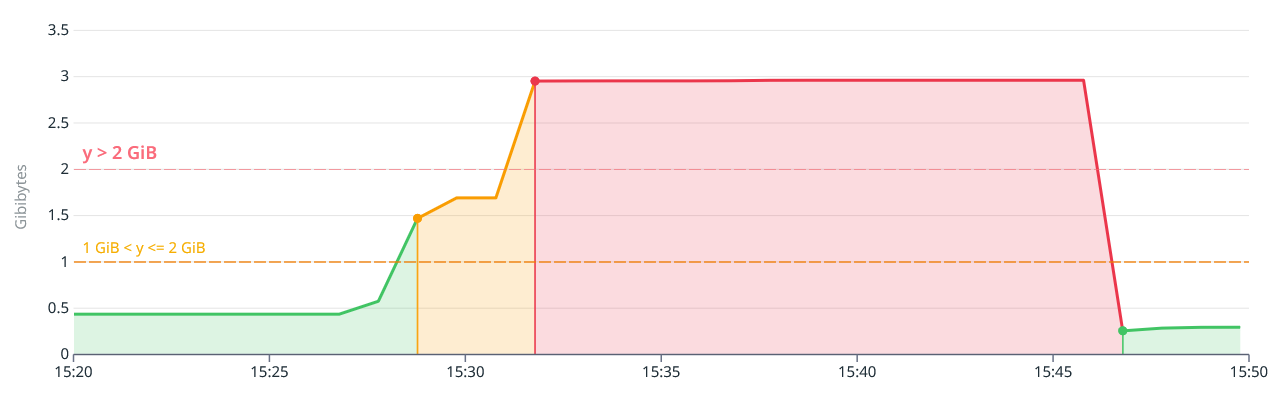
It sure is pretty nice but does not explain why
- Restarting the container is fine
- Recreating the container is not
Looking at the filesystems, it definitively look like Examine rebuilds it entire indexes on restart, thus loading all content. But why?
Spoiler: I asked Claude.
And Claude told me that the issue was that Docker container have a randomly assigned hostname, which means Umbraco could not verify the state of this instance by checking its database tables, and thus performed a "cold boot", and thus rebuilt indexes.
Adding a hostname: whatever in the Docker Compose configuration file was all
that was needed. Now the website container retains its hostname even when re-created
and I can confirm memory stays low. Always.
Next
What else on the Radar? Another DB! MSSQL is amazing, but has this constraint that it wants to use a minimum of 2GB of memory no matter what. This is a lot (and expensive). There have been a few efforts at providing a data layer for Postgres recently, and Claude can probably help us here. I will follow conversations and experiment as soon as possible.
And before we close this post, I cannot resist a bit of teasing. Thanks to the Datadog agent, all my logs are pushed to a central place. These are my Umbraco logs:
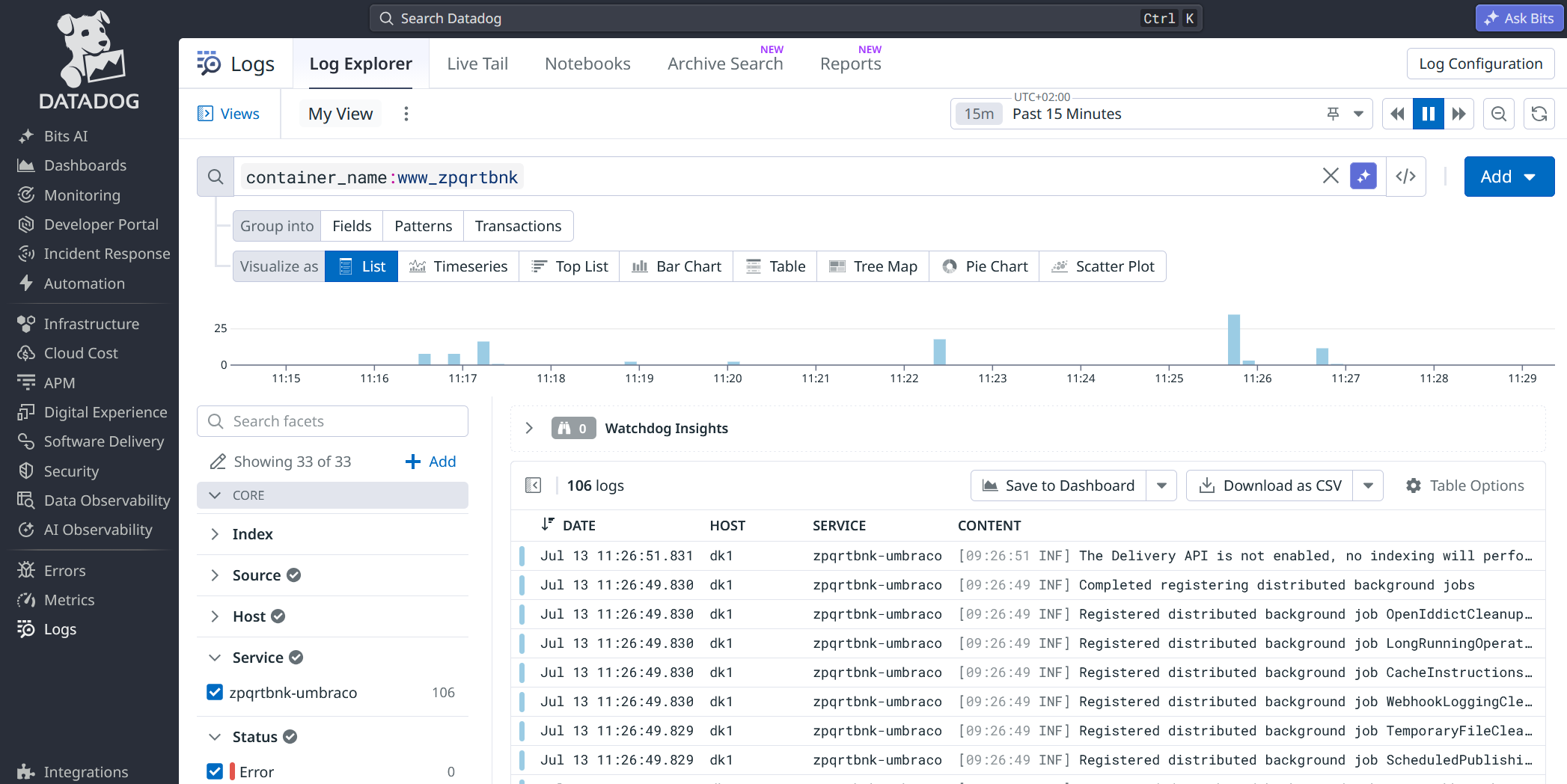
But of course I also have my other websites, or MSSQL, or MySql, or Forgejo logs here, as well as metrics about the CPUs and disks of my containers, network traffic, SQL queries/s...
There used to be Disqus-powered comments here. They got very little engagement, and I am not a big fan of Disqus. So, comments are gone. If you want to discuss this article, your best bet is to ping me on Mastodon.